


Recruiter Photos on Adverts
Each advert shows the Atlas project owner as its recruiter, with name and photo, once they have a photo on their Refari profile.
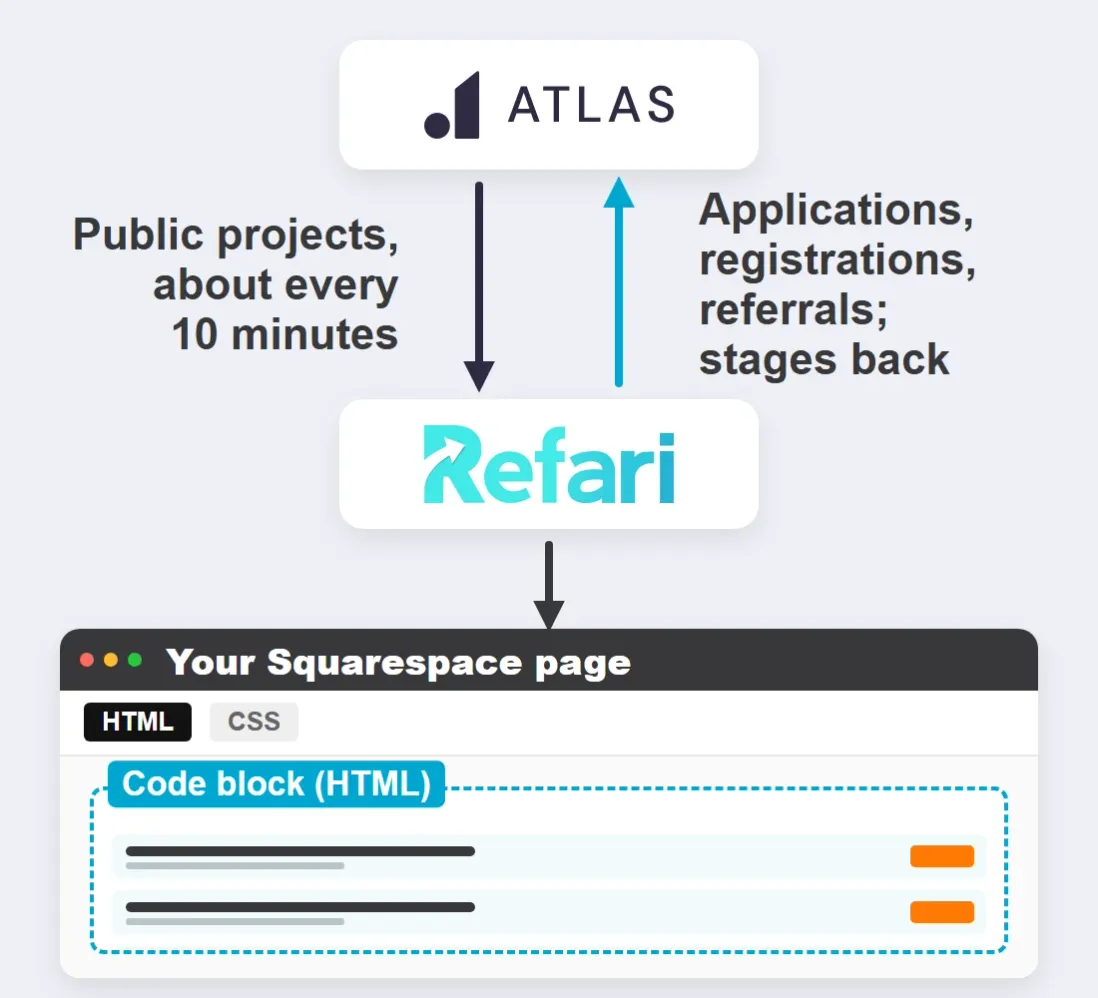
Turn your public Atlas projects into a job board on Squarespace. You place it on your careers page with a Code block; Refari keeps it current from Atlas and sends applications, registrations and referrals back into Atlas.
Request A Demo
Join the Success: 400+ Companies Thriving with Refari!






























Edit your jobs page, add a block where the board should appear and choose Code. Keep the block on HTML, paste the code from your Refari dashboard and leave Display Source switched off. Save and publish, then check the live page in a private window: Squarespace does not run scripts in the editor and sometimes hides code while you are logged in.
Squarespace runs JavaScript in a Code block only on its Core, Plus and Advanced plans, so check your plan if the board does not appear on the live page. In the video, Refari widgets are installed on a Squarespace site.

Each of these comes with the Refari job board on your Squarespace site and runs from the projects already in Atlas.
Each advert shows the Atlas project owner as its recruiter, with name and photo, once they have a photo on their Refari profile.
Over 40 Refari widgets, from testimonials to team profiles, go into Squarespace Code blocks the same way the board does.
Run more than one job board, each filtered by category, location or work type, such as a finance board on your finance page.
When a project has a city and a region, the city sits under its region in the Location filter, so candidates can pick either.
Move a candidate to your placement stage in Atlas and TopRec sends a short feedback request, guiding five-star replies to Google.
If the same submission is delivered twice, Refari recognises the replay, so Atlas gets one applicant, one CV and one note.
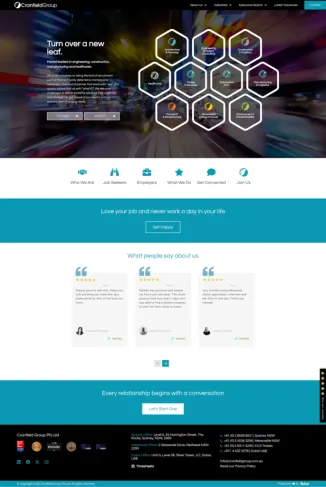
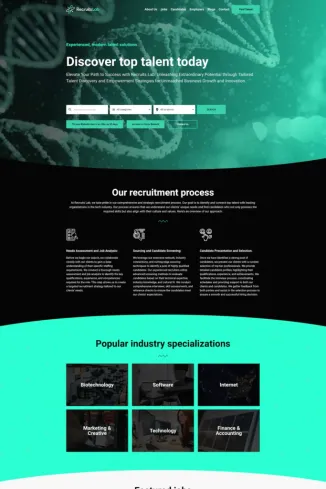
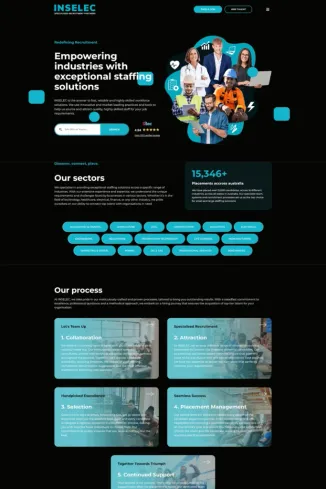
Recruitment websites Refari has built, each with a live job board and applications that go straight into the agency’s ATS.

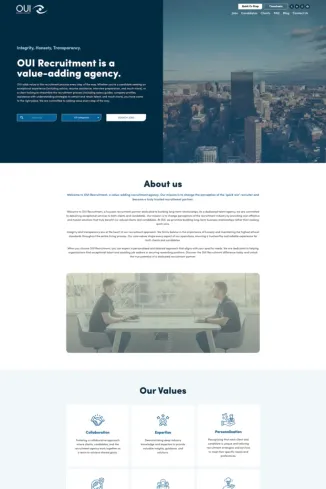
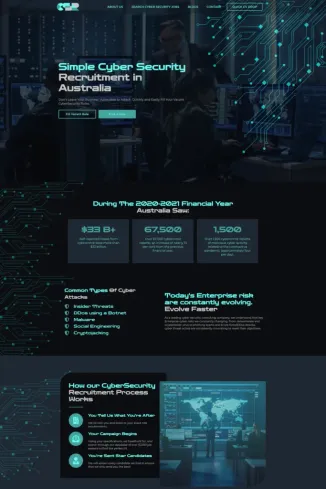
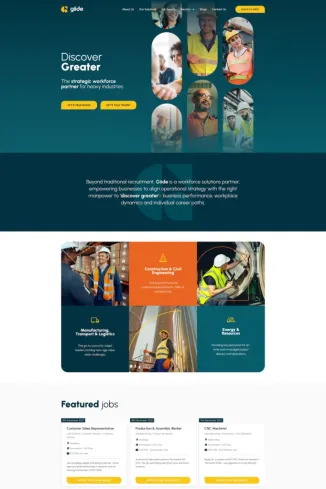

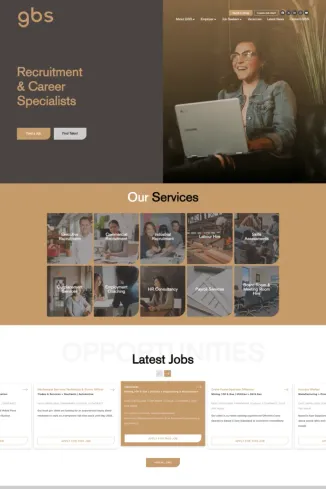
Book a demo and we’ll show you the Refari job board in a Squarespace page, filled the way your Atlas projects would fill it.
Request A DemoAtlas connects to the Refari job board the same way on each of these platforms. Pick yours for the install.
Step-by-step guides from the Refari Support Centre for connecting Atlas and installing the job board on Squarespace.
Straight answers for Atlas users putting the Refari job board on a Squarespace site.
A Code block, set to HTML with Display Source switched off. Paste the job board code, save and publish, then check the live page in a private window.
Squarespace does not run scripts inside the editor. Open the published page to see the board with your Atlas jobs.
Yes. The job board is JavaScript, and Squarespace runs JavaScript in a Code block only on its Core, Plus and Advanced plans.
No. The only setup in Atlas is the API key and the Job Board Category custom attribute. Refari checks Atlas itself, about every 10 minutes, with a full check of every project every 6 hours.
Every spelling of a place becomes its own filter value, so “Sydney” and “Sydney CBD” show as two locations. Pick one spelling for each city and region in Atlas and use it on every project.
Atlas stores salary as text, so write a range with a pay period, such as $90,000 to $110,000 per annum. Without a period, or with words such as Competitive, Refari does not show a figure.
No. That is part of a Refari website, where Refari builds a page for every job. The board on Squarespace still lists your Atlas jobs, and Refari’s feeds can send them to Indeed and Jora.
The way our existing clients describe Refari demonstrates the impact that our tools have on their business.
1,200+
Recruiters On Refari
400+
Companies Trust Us
Wesley A.
Great platform and service - they really go above and beyond for their clients! Refari's support is unmatched by any other website and technology partner we've ever used. They manage all website plug-ins that help us easily serve our candidates and clients.

Gemma Valentine
Refari has been a great asset to our business for all of the products and services that they offer. Aaron, Ritesh and the team are really quick and helpful, smart and passionate people who get recruitment.

Rachael Newton
Aaron and his team are amazing! Their advice has helped us improve the look and effectiveness of our website. I would highly recommend them.

Good Moves
I have worked with Refari on a couple of projects and I couldn't recommend them enough! The tech is the best on the market, their team are efficient, innovative and supportive. I have worked with a few other recruitment website suppliers over the years, I don't want to name names (bright pink) and they out beat and perform them in every sense! You can't go wrong with Refari

Emma Tawse
Working with Refari has been standout. A web developer who not only understands but embraces the need for design perfection is rare – and his collaborative approach makes the process seamless. He brings thoughtful UX insight that elevates our design work, and the end results are always stronger because of his input. Quite simply, the best web developer I’ve had the pleasure of working with.

Jay Daviot
Aaron and his team have been great to deal with throughout the entire process. Quick to act, responsive to our queries and worked through things methodically with an eye for detail. Couldn't recommend them more highly.

Ryan Corp
We had a fantastic experience working with Refari. Aaron and his team was professional, responsive, and really took the time to understand what we needed for our website. The end result was modern, easy to use, and exceeded our expectations. Communication throughout the process was clear and friendly, and they made the whole experience stress-free. I’d happily recommend Refari to anyone looking for a reliable and creative website partner!

Julianne Haines
Aaron is very prompt with responses and edits I highly recommend his service

Chris Twine
We've worked with Aaron and his team at Refari for over a year now, they've been great from the start. Always helpful, knowledgeable and willing to assist with any website development needs.

Liam Hynes
Super quick response and action time, really helpful and knows the industry to modern standards 5*

Theo Venables
Great team. Really responsive and explain things in a way that actually makes sense, even if you are not tech savvy.

Ellen Babij
Aaron and the team at Refari are great! Fab product and fab support. They go above and beyond for their clients and are always just an email away!