


Search and Filters From Loxo
Keyword search plus category, location and job type filters, built from the details on your Loxo jobs.
Show your published Loxo jobs on your Duda website with the Refari job board. Loxo tells Refari about each change, and every application, registration and referral goes back into Loxo.
Request A Demo
Join the Success: 400+ Companies Thriving with Refari!






























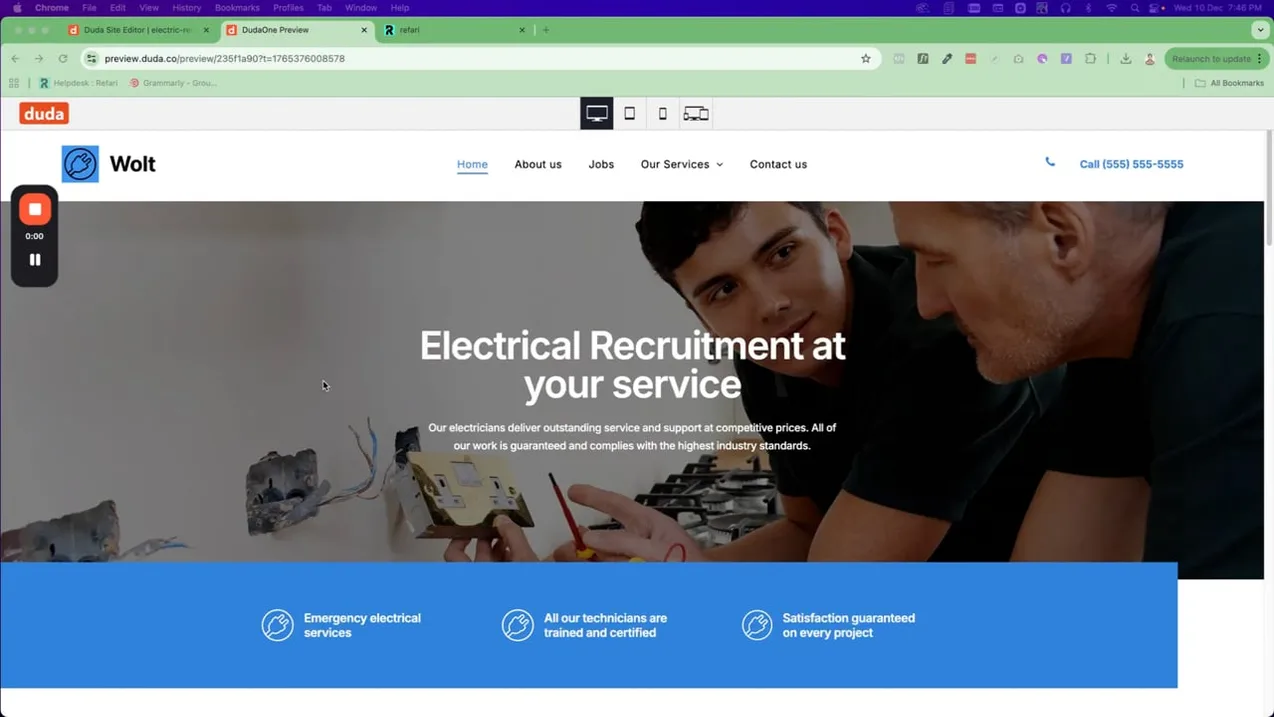
Paste the job board code from your Refari dashboard into a Duda HTML widget on your careers page. The code is a single block, a loader, a container and your settings, and it runs in the page, which is what lets each Loxo job open and each form submit on your own site.
Embedded code tends to show on the preview or the published site rather than in the editor, so preview the page to check it. The film shows Refari widgets being installed on a Duda site.
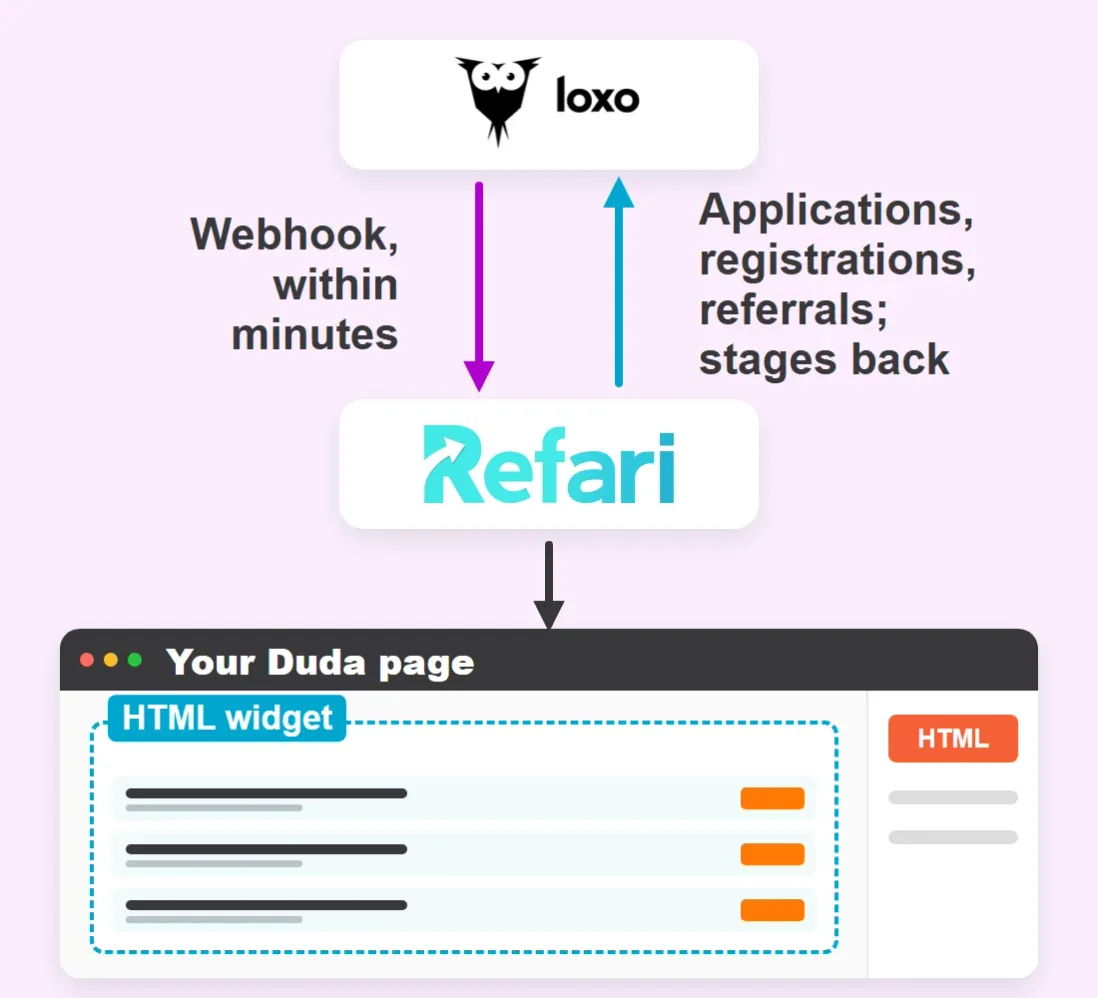
With Loxo connected, the Refari job board on your Duda site comes with these tools, all kept in step with Loxo.
Keyword search plus category, location and job type filters, built from the details on your Loxo jobs.
Ask screener questions before candidates apply. The answers stay in Refari, and the application goes to the job in Loxo.
Refari Application, Refari Registration and Refari Referral sources show in Loxo which candidates came from your website.
A referral creates a person in Loxo with the referrer, their message, the job and the ownership expiry in the description.
Move a candidate to a stage such as Hired in Loxo and Refari can send them a testimonial and Google review request automatically.
A Loxo job with no location but remote work allowed is shown on your board as Remote.
Recruitment websites Refari has built, each with a live job board and applications that go straight into the agency’s ATS.

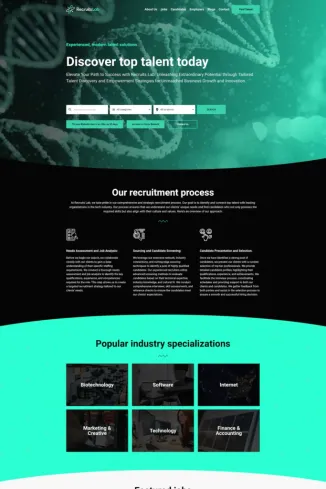
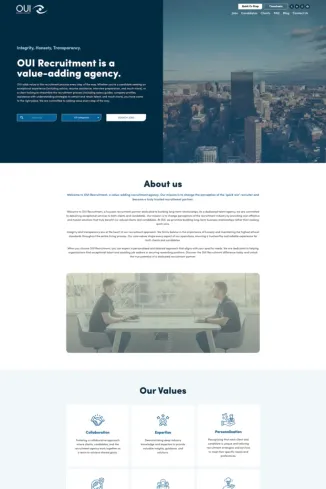
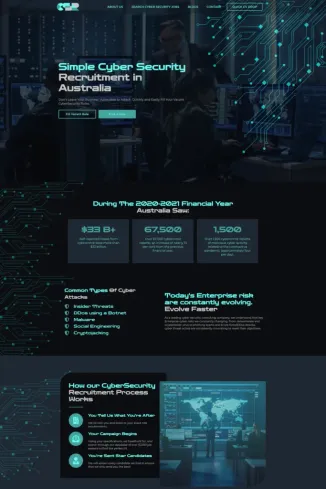
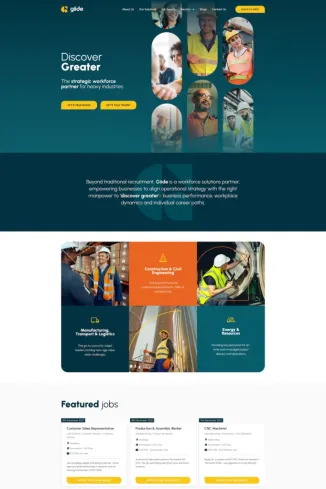

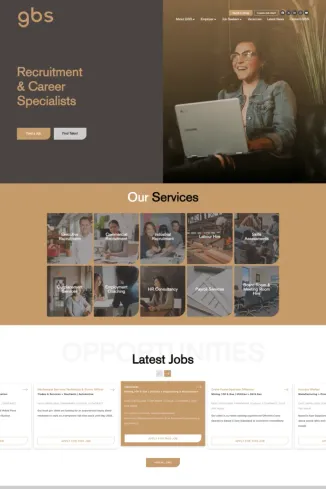
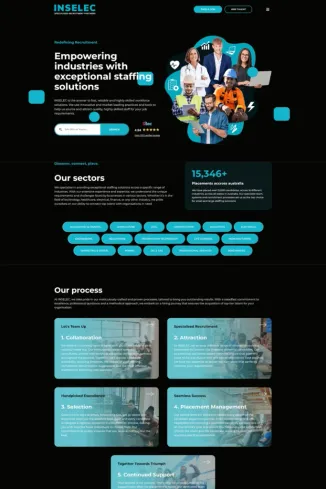
Book a demo to see the Refari job board on a Duda site, and how your published Loxo jobs would fill it.
Request A DemoLoxo works with the Refari job board on these website builders too. Each page covers the install on that platform.
Guides from the Refari Support Centre for connecting Loxo and installing the job board on Duda.
Answers for Loxo users adding the Refari job board to a website built with Duda.
Yes. Connect Loxo to Refari and paste the Refari job board code into a Duda HTML widget. The board draws your Loxo jobs into the page itself, so there is no iframe.
In the Duda editor, open Add and search for HTML. Drag the HTML widget onto your careers page and paste the Refari code into it.
No. When you connect, Refari registers the webhooks it needs, creates the Refari source types and reads your workflow stages, so there is nothing else to configure in Loxo.
Loxo tells Refari as soon as you save a published, active job, so it usually appears within a few minutes. If it does not, check the job has an owner, a category, a job type and a location.
On the Loxo job the candidate applied for, in that job’s pipeline, with their CV and the source Refari Application. Registrations and referrals create a person in Loxo with their own Refari source.
No. Screener answers stay in Refari, and the application itself goes to the job in Loxo.
Not necessarily. Connecting Refari leaves Loxo’s own careers page as it is. On your own website, show one of the two so candidates see a single list of jobs.
Not from Duda. When Refari builds your website on Refari Websites 2.0, every Loxo job gets a page Google can list; a widget on a Duda page does not. The board still shows your jobs and feeds sites such as Indeed and Jora.
The way our existing clients describe Refari demonstrates the impact that our tools have on their business.
1,200+
Recruiters On Refari
400+
Companies Trust Us
Wesley A.
Great platform and service - they really go above and beyond for their clients! Refari's support is unmatched by any other website and technology partner we've ever used. They manage all website plug-ins that help us easily serve our candidates and clients.

Gemma Valentine
Refari has been a great asset to our business for all of the products and services that they offer. Aaron, Ritesh and the team are really quick and helpful, smart and passionate people who get recruitment.

Rachael Newton
Aaron and his team are amazing! Their advice has helped us improve the look and effectiveness of our website. I would highly recommend them.

Good Moves
I have worked with Refari on a couple of projects and I couldn't recommend them enough! The tech is the best on the market, their team are efficient, innovative and supportive. I have worked with a few other recruitment website suppliers over the years, I don't want to name names (bright pink) and they out beat and perform them in every sense! You can't go wrong with Refari

Emma Tawse
Working with Refari has been standout. A web developer who not only understands but embraces the need for design perfection is rare – and his collaborative approach makes the process seamless. He brings thoughtful UX insight that elevates our design work, and the end results are always stronger because of his input. Quite simply, the best web developer I’ve had the pleasure of working with.

Jay Daviot
Aaron and his team have been great to deal with throughout the entire process. Quick to act, responsive to our queries and worked through things methodically with an eye for detail. Couldn't recommend them more highly.

Ryan Corp
We had a fantastic experience working with Refari. Aaron and his team was professional, responsive, and really took the time to understand what we needed for our website. The end result was modern, easy to use, and exceeded our expectations. Communication throughout the process was clear and friendly, and they made the whole experience stress-free. I’d happily recommend Refari to anyone looking for a reliable and creative website partner!

Julianne Haines
Aaron is very prompt with responses and edits I highly recommend his service

Chris Twine
We've worked with Aaron and his team at Refari for over a year now, they've been great from the start. Always helpful, knowledgeable and willing to assist with any website development needs.

Liam Hynes
Super quick response and action time, really helpful and knows the industry to modern standards 5*

Theo Venables
Great team. Really responsive and explain things in a way that actually makes sense, even if you are not tech savvy.

Ellen Babij
Aaron and the team at Refari are great! Fab product and fab support. They go above and beyond for their clients and are always just an email away!